The itinerary, notes and lists
Locations answer where. The itinerary answers when, the notes hold everything that is neither, and the files and lists hold what you need to have with you.
The itinerary
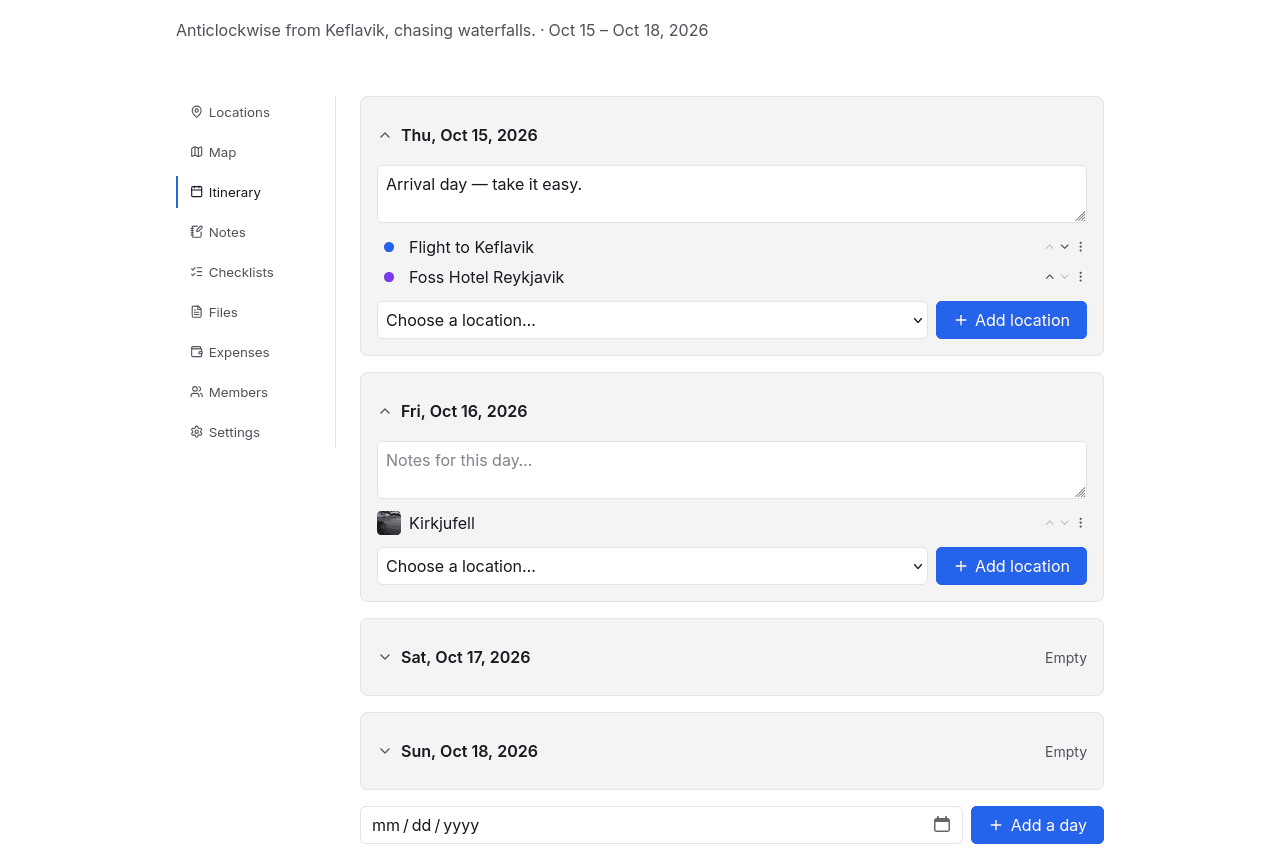
A day-by-day plan built from the locations already on the trip: pick a day, add the things happening on it, reorder them. Days can carry a note of their own — "Arrival day, take it easy" — and a day with nothing in it says so rather than disappearing.
Days come from the trip's date range, and a day outside it can still be added when the plan needs one. Nothing here duplicates a location: an itinerary entry points at the same place that is on the map and in the locations list, so correcting an address once corrects it everywhere.
That goes for dates too. A stay given the 5th to the 7th of September on its own location page appears here on all three days, and anything added or moved here shows up there as the days that location is on. The two are one fact with two ways in — whichever you reach for, the other agrees.
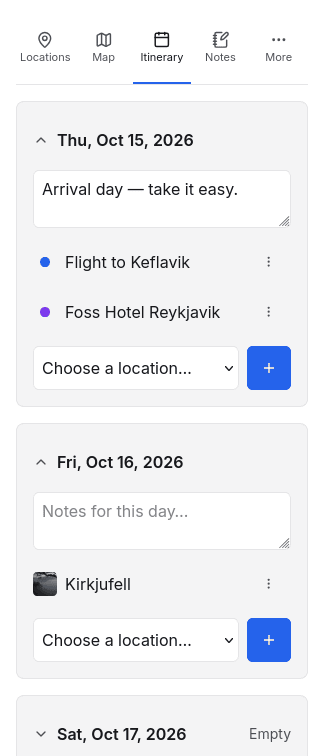
On a phone the day cards stack and the tab row collapses to icons — which is the form you actually read it in, standing outside somewhere at 9am.
Notes
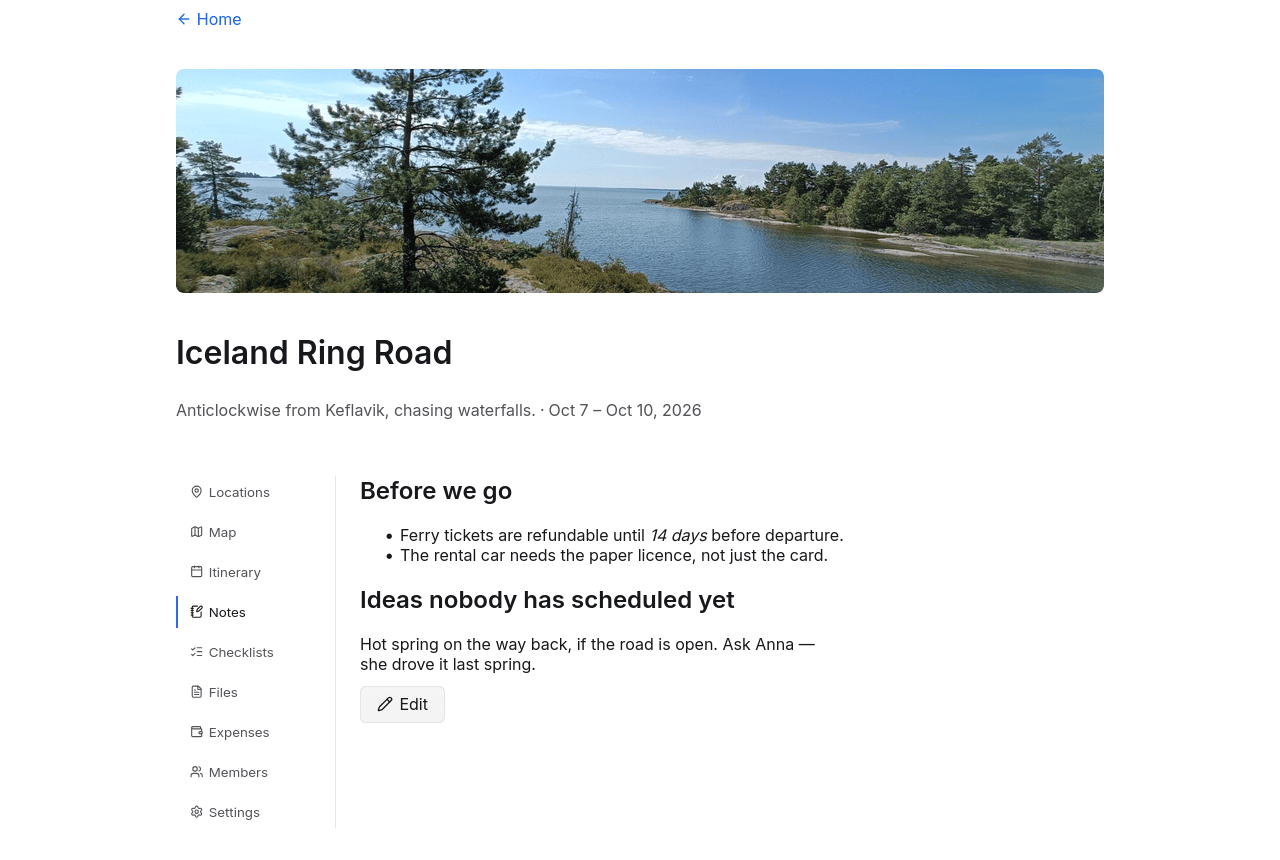
One page per trip for everything that is not a place, a date or a task: why you ruled out the northern route, what the ferry office said on the phone, the thing somebody has to remember to ask about the rental car.
It is written in Markdown — headings, lists, emphasis, links — and rendered when you save it. A trip with nothing written down opens straight into the editor; once there is something to read, the tab shows the note and puts the editor behind Edit.
There is one note per trip and everyone on the trip can read it. Any editor can change it, and the last save wins, so it is a shared page rather than a private one — a viewer reads it and is offered no way to change it.
Files
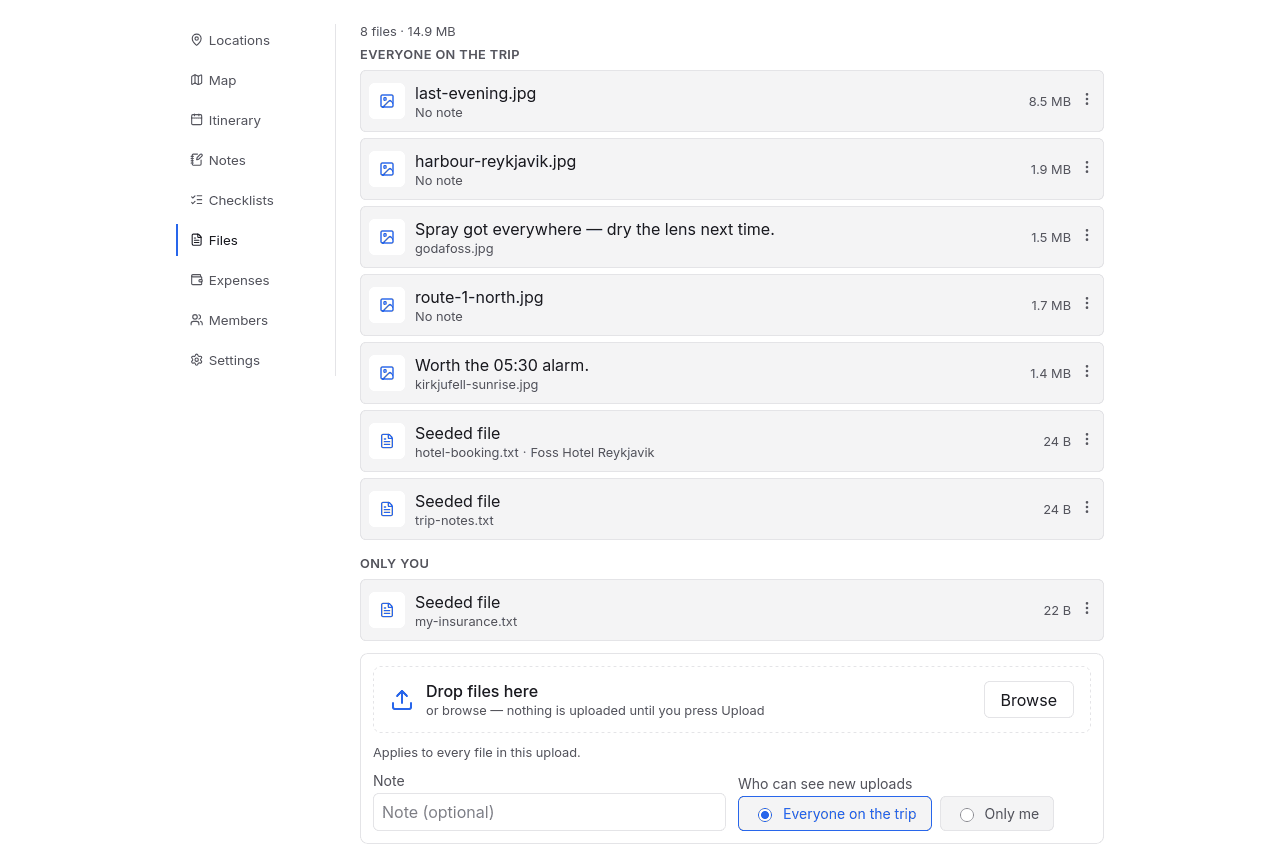
Booking confirmations, tickets, permits, photos. Files attach either to the trip or to a single location, and each one has a visibility:
| Visibility | Who sees it |
|---|---|
| Everyone on the trip | Every member, including viewers |
| Only you | Nobody else, on a trip you are sharing |
That second one is the point of the feature rather than a detail: your insurance document and your passport scan belong on the trip, and not in front of everyone else on it.
Which is why choosing a file does not upload it. Picks wait under the drop zone until you press Upload, so the note and the visibility you set apply to the files you just chose rather than to the next ones — and a file picked by mistake can be taken back before it is sent anywhere.
Images are re-encoded on upload, which caps their dimensions and, as a side effect, strips their metadata — so a photo's GPS tag does not travel with it into a shared trip.
Checklists
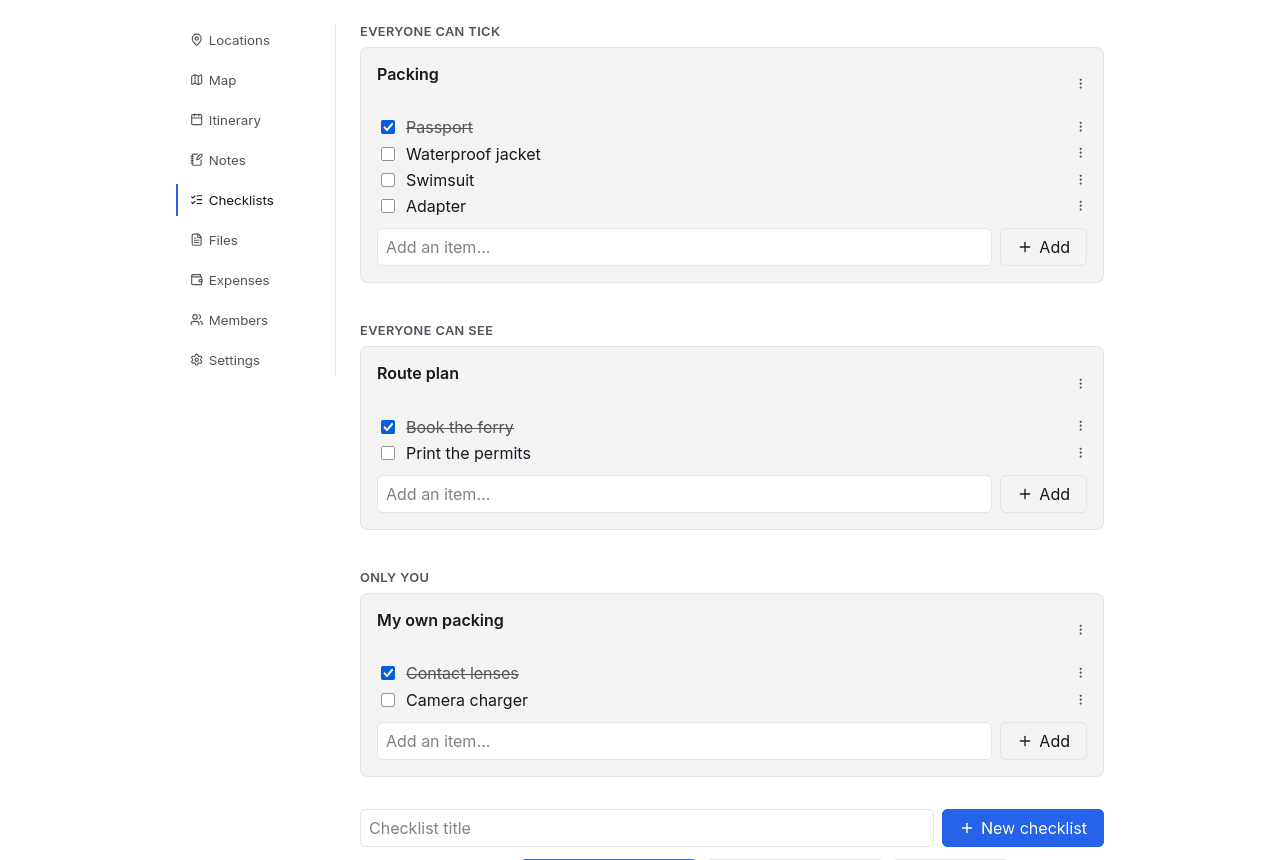
Packing lists, things to book, things to buy. Checklists have three visibilities, and the difference between the first two is who can tick, not who can see:
| Visibility | Who sees it | Who can tick |
|---|---|---|
| Everyone can tick | Every member | Any editor |
| Everyone can see | Every member | Whoever made it |
| Only you | Only you | Only you |
"Everyone can tick" is a shared packing list. "Everyone can see" is a plan the group should read but not change. "Only you" is your own packing, on somebody else's trip.
Viewers read; they do not tick
Ticking anything needs the editor role, including on a list labelled "everyone can tick" — the label means every editor rather than every person who can see the trip. A viewer sees the shared lists and their state, and cannot change them.
A list can also be duplicated, which is how last year's packing list becomes this year's.